What Is the Best Way to Manage Client Keys and Lockbox Codes Across Many Homes?
Keys and codes are the one thing a dog walker cannot afford to lose. A working system for labeling, storing, sharing with backup walkers, and handing everything back when a client leaves.
Why keys are a bigger liability than most walkers think
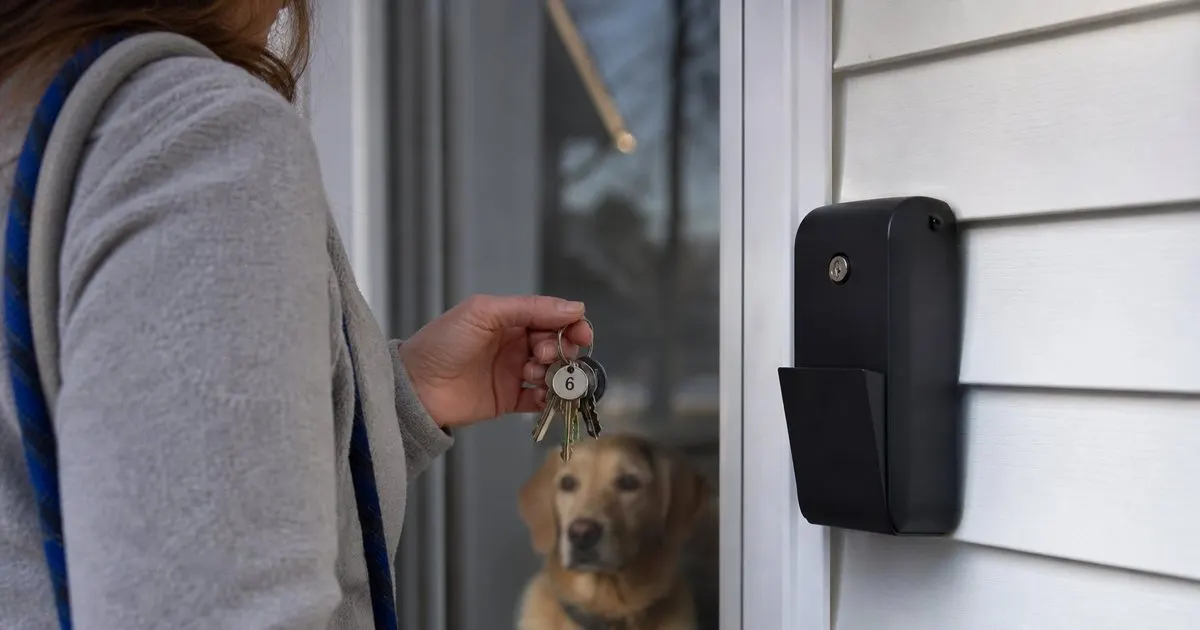
A dog walker with twenty clients is holding access to twenty homes, and a lost key ring with any identifying information on it is a burglary waiting to happen. Even without a break-in, losing a key means rekeying a lock, an awkward phone call, and a client who now wonders what else is loose in your process. Business insurance policies often ask how keys are handled, and a claim can turn on whether you followed your own stated procedure. Clients rarely ask about this during onboarding, which means they are trusting you by default rather than by choice. Related: How Can New Dog Walkers Build a Loyal Base of Repeat Clients?
Codes carry a quieter risk. A lockbox code or alarm code sent by text sits in a message thread forever, on your phone, on the client's phone, and on whichever backup walker you forwarded it to. Screenshots of a spreadsheet float around the same way. The goal of a key system is simple: nothing you carry should point to an address, nothing you store should be readable by the wrong person, and you should be able to say at any moment exactly where every key and code lives.
Keep reading: How Should a Dog Walker Plan Efficient Routes for Back to Back Visits?, What Information Do Dog Owners Actually Want in a Post Walk Update?, Why Do GPS Check Ins Matter So Much for Professional Dog Walkers?. See how PupRoutr helps you dog walking route planning and visit check-ins.
Labeling and storing keys so nothing is traceable
Never put a name, address, or even a dog's name on a key tag. Use an internal code, such as a two letter prefix and a number, that means nothing to anyone who finds it. Keep the master list that maps codes to clients inside an access-controlled app or an encrypted note, never on a paper sheet in the glovebox. At home, keys live in a locked box or small safe, and you carry only the keys for that day's route. If you can, ask each client for two copies: one for the working ring and one held in reserve for a backup walker or a lost-key emergency. Related: How Should a Dog Walker Plan Efficient Routes for Back to Back Visits?
Treat keys like inventory. Log the date a key came in, who holds it, and when it goes out on a route. Do a quick count at the end of every day and a full audit once a month against the master list. When a key turns up missing, the audit tells you when it was last seen and narrows the search to one route. Store the log with the client profile so that if you add a second walker, the handoff is documented rather than remembered.
Lockboxes, smart locks, and garage keypads
A lockbox on the client's property beats carrying keys in almost every case. There is nothing to lose, a backup walker can cover the visit with a code instead of a key handoff, and the client stays in control because they can change the code at any time. Ask new clients to supply their own box during onboarding and set the code together. Store the code in the client profile with permissions limited to the walkers assigned to that home, not in a text thread. Smart locks are even better when the client is willing to create a walker-specific code that can be revoked without affecting the family's codes. Related: Why Do GPS Check Ins Matter So Much for Professional Dog Walkers?
Whatever the method, test it during the meet and greet while the client is standing there. Lockbox dials stick, smart lock batteries die, garage keypads stop responding in the cold, and building apps log you out at the worst time. Always have a fallback, usually a physical spare key held under your key system, and note in the profile which method is primary and which is backup. Write down alarm instructions, the disarm code location, and any quirks like a door that needs a shoulder to close, because a walker locked out on the porch with a dog barking inside is the phone call nobody wants.
Handing off to a backup walker and closing out a client
When a second walker covers a visit, they should be able to open the client profile and see the access method, alarm steps, and door quirks without calling you. Share access through role-based permissions in your scheduling app rather than screenshots or forwarded messages, and revoke it when the cover ends. PupRoutr and similar tools attach these notes to the visit itself, so the walker sees them at check-in, but the principle holds with any system: the information travels with the visit, not with a person's phone.
Closing out a client deserves the same care as onboarding. Return keys in person or by tracked mail, get a signed or emailed receipt confirming the return, and record the date in the profile. Ask the client to change the lockbox code and any walker-specific smart lock code, then delete the stored code on your side. Write the return into your service agreement so clients know what to expect from day one. A clean exit is often the last impression a client has of your business, and it is the one they mention when a neighbor asks for a referral. Related: What Should Be in a Dog Walking Service Agreement With New Clients?
- A lost key with identifying information on it is a burglary risk, so tags carry only an internal code and the master list lives in an access-controlled app.
- Carry only the day's keys, log every check-in and check-out, and audit the full set against the master list monthly.
- On-site lockboxes and walker-specific smart lock codes are safer than key rings and make backup coverage far easier.
- Test every access method during the meet and greet, keep a fallback, and return keys with a signed receipt when a client leaves.

Julien Jimenez
Julien Jimenez is an independent software builder based in Paris. He designs, ships, and operates focused SaaS products for small businesses and independent professionals. Read the full author page.
Prove every walk happened, effortlessly
Dog walking route planning and visit check-ins. PupRoutr is built to help you put this into practice.
Plan my walksMore from the PupRoutr blog
How Should a Dog Walker Plan Efficient Routes for Back to Back Visits?
What Information Do Dog Owners Actually Want in a Post Walk Update?
Why Do GPS Check Ins Matter So Much for Professional Dog Walkers?
Get the PupRoutr playbook
Practical guides on dog walking visits, straight to your inbox as we publish them. No spam, unsubscribe any time.